
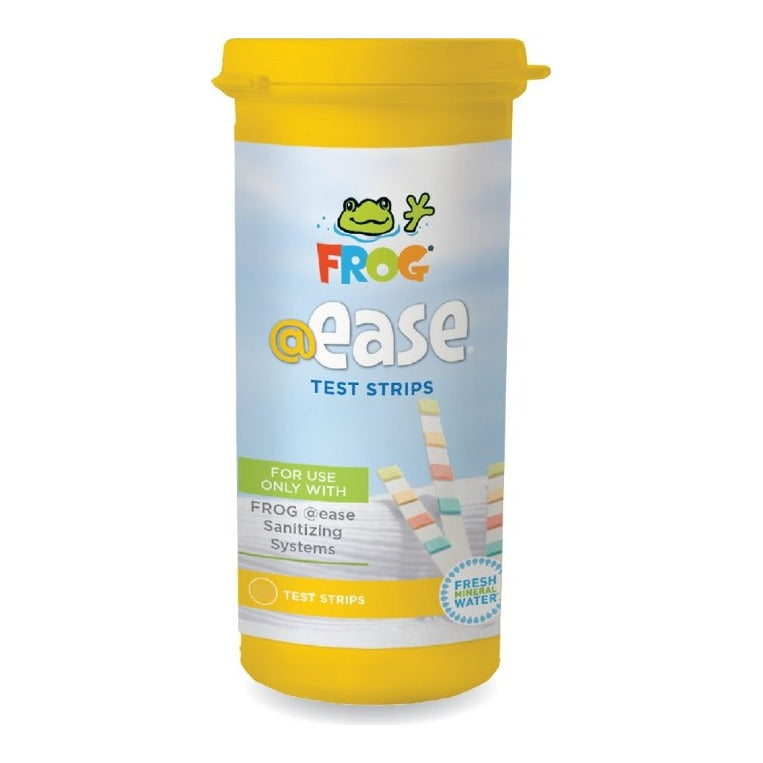


Description
FROG @ease Test Strips: Know When to Change SmartChlor at a Glance
These strips take the guesswork out of FROG @ease. Instead of a confusing chlorine number, the top tab gives you one simple answer: keep going or change your SmartChlor cartridge. That means no shocking or draining based on a reading that doesn't apply to your system.
One quick dip also checks the water balance that keeps SmartChlor working at its best. Dip, shake once, and in about 2 seconds you have your whole weekly check, with the color chart printed right on the bottle.
Made for FROG @ease SmartChlor hot tubs and swim spas, each yellow bottle holds 30 strips with pads for SmartChlor status, pH, Total Alkalinity and Total Hardness. That's about 7 months of weekly tests.
A Simple Go/No Go Reading for SmartChlor
FROG @ease does not need a chlorine number. SmartChlor self-regulates at the same low level, so the strip gives you one decision instead: keep going or change the cartridge.
Compare the top tab to the SmartChlor Out Indicator block on the bottle. Darker means the cartridge is working. Lighter means it is time for a fresh SmartChlor cartridge.
No More Confusing High Total Chlorine Readings
Standard test strips read a FROG @ease hot tub as low free chlorine and high total chlorine, which normally signals that you should shock. With SmartChlor, that high total reading is the chlorine reserve waiting to be released, and no action is needed.
FROG @ease Test Strips skip that reading altogether, so you never shock or drain based on a number that does not apply to your system.
pH, Alkalinity and Hardness on Every Strip
SmartChlor works best in balanced water, and FROG recommends checking Total Alkalinity and pH at least once a week. The same strip reads Total Alkalinity, pH and Total Hardness, so one dip covers your whole weekly check.
Bring alkalinity to 80–120 ppm first, then pH to 7.2–7.6, and keep hardness at 150–250 ppm.
30 Strips for About 7 Months of Weekly Tests
One bottle covers about 30 weeks of once-a-week testing, with extra strips left for a quick check after a party or a water change. A 30-count bottle comes in the FROG @ease Floating System box, so this is the same refill you started with.
Key Features and Benefits
- Built for FROG @easeMade to read SmartChlor systems; not a generic chlorine strip.
- SmartChlor Out IndicatorTop tab tells you when to replace the cartridge.
- 2-Second ResultsDip, shake once and compare to the bottle.
- Three Balance TestspH, Total Alkalinity and Total Hardness.
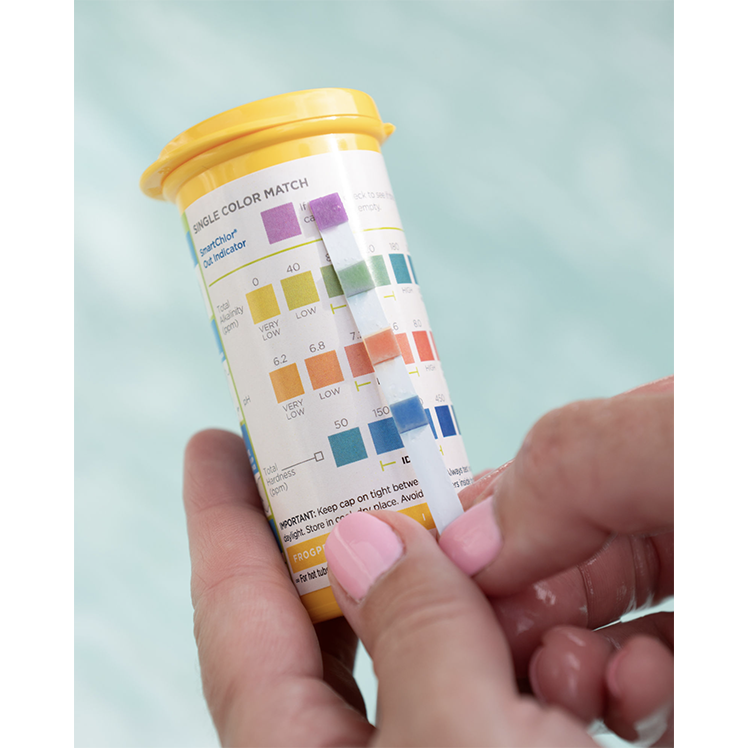
- Chart on the BottleSingle color match chart printed on the back.
- Yellow BottleEasy to tell apart from other FROG test strips.
- 30 StripsAbout 7 months of weekly testing.
Product Details
| Product Detail | Information |
|---|---|
| Brand | FROG (King Technology, Inc.) |
| Product | FROG @ease Test Strips for Hot Tubs & Swim Spas, 30 Count |
| Pack Size | 30 strips in 1 bottle |
| Bottle Color | Yellow |
| Tests | SmartChlor Out Indicator, pH, Total Alkalinity, Total Hardness |
| Free Chlorine Pad | None; the Out Indicator replaces a chlorine reading |
| Reading Time | About 2 seconds |
| Color Chart | Single color match chart on the back of each bottle |
| Out Indicator Reading | Darker than the bottle block: cartridge OK. Lighter: replace SmartChlor |
| FROG Target Ranges | pH 7.2–7.6; Total Alkalinity 80–120 ppm; Total Hardness 150–250 ppm |
| Works With | FROG @ease Floating, @ease+ Floating, @ease In-Line and @ease swim spa systems |
| Not For | FROG Serene bromine or standard chlorine/bromine (use FROG Test Strips 01-14-3318) |
| Estimated Supply | About 7 months at one test a week |
| Shelf Life | About 2 years, per FROG |
| Storage | Cap on tight, in a cool, dry place |
| Manufacturer Part Number | 01-14-3350 (30-count bottle) |
| Store SKU | 01-14-3350 |
| UPC | 722906033516 |
| Net Weight | Not specified in reviewed product details |
| Shipping Weight | About 0.1 lb |
| Image Alt Text | Hand holding a yellow FROG @ease Test Strips bottle with a strip next to the SmartChlor Out Indicator color chart on the back |
How to Use FROG @ease Test Strips
- Dip one strip: Take one strip from the bottle, recap it right away and dip the strip into the hot tub water.
- Remove pads up and shake once: Pull the strip out with the pads facing up and give it one shake to remove the extra water.
- Compare to the back of the bottle: Hold the strip next to the color chart on the back of the yellow bottle. Results are ready in about 2 seconds.
- Check the top tab first: If the SmartChlor Out Indicator tab is darker than the color block on the bottle, the cartridge is working. If it is lighter, replace the SmartChlor cartridge.
- Balance alkalinity, then pH: Bring Total Alkalinity into 80–120 ppm first, even if it moves pH further off, then adjust pH to 7.2–7.6.
- Check hardness: Keep Total Hardness at 150–250 ppm, especially after a drain and refill.
- Wait and retest: With the jets on, wait 6 hours after adding a balancing product before you test again.
Reading Your FROG @ease Test Strip
| Pad | FROG Target | If It Is Off |
|---|---|---|
| SmartChlor Out Indicator (top tab) | Darker than the Out Indicator color block on the bottle | Lighter than the block: replace the SmartChlor cartridge |
| Total Alkalinity (adjust first) | 80–120 ppm | Low: FROG TArget alkalinity increaser. High: FROG DropH pH and alkalinity decreaser |
| pH (adjust second) | 7.2–7.6 | High: FROG DropH. Low: FROG JumpH pH increaser |
| Total Hardness | 150–250 ppm | Low: FROG SooTHe calcium hardness increaser |
Add balancing chemicals in small amounts, one at a time, with the jets on, and wait 6 hours before testing again. Always follow the directions on each balancing product.
Compatibility Notes
Before You Buy
- Made only for FROG @ease systems with SmartChlor: the FROG @ease Floating System, @ease+ Floating System, FROG @ease In-Line cartridges and FROG @ease for swim spas.
- Not for FROG Serene bromine or FROG minerals used with standard chlorine or bromine. Those systems use FROG Test Strips, part number 01-14-3318.
- There is no free chlorine pad by design. SmartChlor self-regulates, so the top tab tells you whether the cartridge still has life left instead.
- Regular test strips read the SmartChlor reserve as high total chlorine. With FROG @ease that reading is normal and does not mean you need to shock.
- Keep pH at 7.2–7.6 and Total Alkalinity at 80–120 ppm. SmartChlor works less effectively when the water is out of balance.
Which FROG Test Strip Do I Need?
| Test Strip | Use It With | What It Reads |
|---|---|---|
| FROG @ease Test Strips (01-14-3350, yellow bottle) | FROG @ease SmartChlor systems: Floating, @ease+ Floating, In-Line and swim spa | SmartChlor Out Indicator, pH, Total Alkalinity, Total Hardness |
| FROG Test Strips (01-14-3318) | FROG Serene bromine or FROG minerals with standard chlorine or bromine | Chlorine or bromine level plus water balance |
| Standard chlorine strips | Not recommended for FROG @ease | Misread the SmartChlor reserve as high total chlorine |
Single Bottle or 2-Pack?
| Option | Strips | Weekly Testing Covers About |
|---|---|---|
| FROG @ease Test Strips, 30 Count | 30 strips in 1 bottle | 7 months |
| FROG @ease Test Strips 2-Pack | 60 strips in 2 bottles | 14 months |
Why Choose FROG @ease Test Strips, 30 Count
These are the strips FROG designed around SmartChlor: one tab that answers the only sanitizer question an @ease owner needs to ask, plus the three balance readings that keep SmartChlor working. Shop the FROG @ease collection for SmartChlor cartridges and systems, or browse more Water Testing supplies at HotTubPirate.com.
As an authorized FROG dealer, HotTubPirate.com sells genuine FROG products, not look-alikes or refills.
Ideal For
- FROG @ease Floating, @ease+ and In-Line hot tub owners
- FROG @ease swim spa owners
- Replacing the strips that came with your FROG @ease system
- Anyone confused by high total chlorine on regular strips
- Weekly water balance checks
Frequently Asked Questions
How do I read FROG @ease test strips?
Dip one strip, remove it with the pads facing up and shake once. Hold it next to the chart on the back of the bottle. Check the top tab against the SmartChlor Out Indicator block first, then read Total Alkalinity, pH and Total Hardness.
Can I use regular test strips with FROG @ease?
You can, but they will confuse you. Regular strips show low free chlorine and high total chlorine in a FROG @ease hot tub. That high total reading is the SmartChlor reserve, not a problem, so do not shock or drain because of it.
Why don't FROG @ease test strips measure chlorine?
SmartChlor self-regulates and holds free chlorine at a steady 0.5–1.0 ppm, so there is no chlorine level for you to manage. The strip tells you what matters instead: whether the SmartChlor cartridge is empty.
How long does a 30-count bottle last?
About 7 months if you test once a week. Plan on extra tests after heavy use, a drain and refill, or any time the water looks off.
How fast do the strips give a reading?
In about 2 seconds. Read the strip right after you shake it so you are comparing fresh colors to the chart.
Do these work with my FROG @ease In-Line or floating system?
Yes. They are made for every FROG @ease SmartChlor system: the Floating System, the @ease+ Floating System, the In-Line cartridges and FROG @ease for swim spas.
Can I use these strips with FROG Serene bromine?
No. FROG Serene and other bromine setups need FROG Test Strips, part number 01-14-3318, which read the bromine level. FROG @ease Test Strips are for SmartChlor systems only.
How do I tell FROG @ease strips from regular FROG test strips?
Look for the yellow bottle with the SmartChlor Out Indicator at the top of the color chart. The regular FROG Test Strips are a separate product for chlorine and bromine readings.
Are these the same strips that came with my FROG @ease system?
Yes. The FROG @ease Floating System includes a 30-count bottle of FROG @ease Test Strips, and this is the same 30-count refill, part number 01-14-3350.
What should pH, alkalinity and hardness read with FROG @ease?
FROG's targets are pH 7.2–7.6, Total Alkalinity 80–120 ppm and Total Hardness 150–250 ppm. Keeping pH and alkalinity in range is what lets SmartChlor do its job.
Should I adjust pH or alkalinity first?
Alkalinity. Bring Total Alkalinity into 80–120 ppm first, even if pH moves further off, then fine-tune pH. If your pH tends to drift down, keep alkalinity closer to 120 ppm.
How long should I wait before retesting?
Add balancing products one at a time, in small amounts, with the jets on, then wait 6 hours before you dip another strip.
My pH pad doesn't match any color on the chart. What should I do?
Read in good daylight right after shaking, and pick the closest block or estimate between two blocks. If the reading still seems off, call FROG customer service at 800-222-0169 for help.
The Out Indicator stays dark but my cartridge is several weeks old. Is that normal?
Often, yes. Darker than the bottle block means chlorine is still releasing, and SmartChlor can outlast 3–4 weeks in smaller or lightly used hot tubs. Replace it once the tab turns lighter than the block.
Do the strips tell me when to shock?
No. Shock on a schedule instead: add FROG Maintain non-chlorine shock each time you replace SmartChlor, or monthly, and after heavy use. Avoid dichlor shock with FROG @ease.
Safety Notes
Handle With Care
- Keep the cap on tight between uses and store the bottle in a cool, dry place out of direct sunlight. Moisture can spoil unused strips.
- Dip only one strip at a time and handle strips with dry fingers. Never return a used strip to the bottle.
- Test strips are for water testing only. Keep the bottle out of reach of children and pets.
- When you add balancing chemicals based on your reading, follow each product label, add one product at a time and never mix chemicals together.
- Throw used strips in the trash.
Product Documents
Test strips are not covered by a Safety Data Sheet. Download the official FROG @ease system instructions for water balance targets and how the test strips fit into your routine.